
Korea eSIM vs SIM vs Pocket WiFi: Tourist Setup
Choosing between a Korea eSIM, SIM card, and pocket WiFi is one of the first practical decisions tourists should make before landing.
It sounds like a small tech detail, but it affects everything: finding your hotel, messaging your group, using translation apps, checking subway routes, booking tickets, calling a taxi, reading restaurant reviews, and getting through the first tired hour after arrival at Incheon Airport.
This guide explains the best Korea internet setup for tourists in 2026 without pretending one option is perfect for everyone. The right answer depends on your phone, group size, arrival time, budget, and how much risk you can tolerate on day one.

Quick Answer: Which Korea Internet Option Should Tourists Choose?
For most solo travelers with an unlocked eSIM-compatible phone, an eSIM is the cleanest option.
For travelers who want a Korean phone number, are not sure their phone supports eSIM, or prefer a physical product, a prepaid SIM card is still practical.
For families, groups, laptop users, and people carrying multiple devices, pocket WiFi can be the easiest shared setup.
The safest tourist plan is:
- Confirm your phone is unlocked.
- Check whether your phone supports eSIM before buying one.
- Decide whether you need data only or a Korean phone number.
- Save your hotel address offline.
- Keep a backup plan for airport pickup or WiFi if activation fails.
If your first hour in Korea also involves payment and transport decisions, read EpicKor's Korea travel payment setup guide, Incheon Airport to Seoul guide, and Incheon Airport layover guide. Internet, payment, airport transfer, and transfer-window planning should be handled together.
Korea eSIM vs SIM Card vs Pocket WiFi: Decision Table
| Option | Best for | Main weakness |
|---|---|---|
| eSIM | Solo travelers, short trips, unlocked modern phones, fast setup | Requires compatible phone and correct activation |
| Physical SIM card | Travelers who want a tangible product or phone-number options | Needs SIM tray access and may replace your home SIM slot |
| Pocket WiFi | Families, groups, laptops, tablets, multiple devices | Another device to charge, carry, return, and keep close |
| International roaming | Business travelers or people who value simplicity over cost | Can be expensive and plan details vary by home carrier |
Korea SIM cards and eSIMs — compare on Amazon before you flyAffiliate link. As an Amazon Associate, EpicKor earns from qualifying purchases at no extra cost to you.
The best option is not the cheapest one on a comparison chart. It is the one that works when you step into the arrivals hall with luggage, low patience, and a hotel address you need to reach.
Before You Buy Anything: Check These Four Things
First, your phone must be unlocked if you want to use a Korean SIM or many eSIM products. If your carrier locks your phone, a cheaper Korea data plan will not matter.
Second, your phone must support eSIM if you choose eSIM. For iPhone users, Apple's official eSIM support information is a useful starting point, but you should still check your exact model, country version, and carrier restrictions through Apple Support or your carrier. Android support varies by brand, model, region, and carrier.
Third, decide whether you need a Korean phone number. Some tourist eSIMs are data-only. That can be fine for maps, translation, messaging apps, and browsing. But certain reservations, delivery services, apps, or local verification flows may expect a Korean number. Do not assume every data product includes one.
Fourth, check pickup or activation timing. A plan that looks cheap online is not helpful if the airport counter is closed, the QR code does not activate, or you need support during a late-night arrival.
eSIM In Korea: Cleanest For Many Solo Travelers
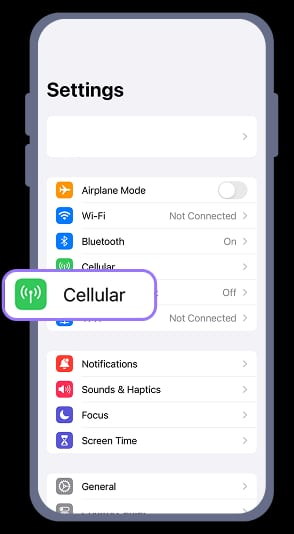
An eSIM is built into the phone, so you do not need to remove a physical SIM card. You usually buy the plan online, scan a QR code or install through an app, and activate according to the provider's instructions.
The advantages are clear:
- No tiny SIM tray panic.
- No physical pickup if setup works.
- Easy to buy before departure.
- Your home physical SIM may stay in place if your phone supports dual SIM behavior.
- Good for short trips and solo travelers.
The downside is that eSIM problems feel stressful when they happen. If you install at the wrong time, delete the profile, buy a plan incompatible with your phone, or misunderstand data-only limits, you may be stuck looking for airport WiFi and support.
For Korea tourists, eSIM makes the most sense if:
- Your phone is unlocked and eSIM-compatible.
- You are comfortable installing mobile plans.
- You do not need one pocket WiFi device for a group.
- You can handle a backup plan if activation fails.
- You mainly need maps, messaging, translation, browsing, and app access.
Do not wait until the plane lands to read the activation rules for the first time. Some products should be installed before departure but activated after arrival. Others have timing limits after installation. The rule is provider-specific, so read it before buying.
Physical SIM Cards: Still Useful, Especially With Number Options
Physical SIM cards are less fashionable than eSIMs, but they remain useful.
They are easy to understand: you receive a card, insert it, and follow the provider's setup. Many travelers like having something tangible, especially if they are not confident with eSIM profiles. Some SIM products may offer voice, SMS, or Korean-number options depending on the provider and plan.
The tradeoff is friction:
- You need a SIM tray tool or pin.
- You may need to remove your home SIM.
- Your phone must be unlocked.
- You must keep your home SIM safe.
- You may need airport or store support if setup is not smooth.
If your phone has only one physical SIM slot and no eSIM, replacing your home SIM can affect calls and texts from your home number. If your bank or airline uses SMS verification, plan ahead.
Physical SIM makes sense if you want help at the airport, need a plan with a phone-number option, or do not trust your device's eSIM support.
Pocket WiFi: Best For Groups And Multiple Devices
Pocket WiFi is a small rental device that creates a WiFi hotspot. You connect your phone, partner's phone, tablet, laptop, or kids' devices to it.
That makes it attractive for:
- Families.
- Friend groups.
- Travelers with laptops.
- People who do not want to change phone SIM settings.
- Groups who will stay physically together most of the day.
But pocket WiFi has its own problems. It needs charging. It needs to be carried. It needs to be returned. If one person walks away with it, everyone else can lose connection. If you split up in a department store or subway station, the shared hotspot becomes less useful.
It is also another device in your bag during hot Korea summer travel. If you are already carrying a fan, umbrella, water bottle, camera, sunscreen, shopping bags, and a power bank, the extra box matters.
Amazon Associate disclosure: EpicKor may earn from qualifying purchases. The subject of this article is itself buyable before you fly, which beats hunting for a counter at Incheon after a 14-hour flight. The safe physical option is the Korea Telecom 30-day unlimited-data SIM with a local number — KT is one of the three real carriers, and the local number matters for restaurant waitlists and deliveries. For a short trip, the 7-day unlimited traveler SIM is the simpler buy, and if your phone supports eSIM, a prepaid Korea eSIM plan skips the physical card entirely. Check that your phone is carrier-unlocked before buying any of them — that is the one failure no product fixes.
See Korea Telecom 30-day unlimited-data SIM with a local number on AmazonCan You Get SIM Cards Or Pocket WiFi At Incheon Airport?
Yes, tourists can usually find communication and internet-related services at Incheon Airport, including roaming, SIM, and WiFi rental counters or service areas. The official Incheon Airport facility directory is the best place to check current locations, terminal details, and service categories before departure.
Do not treat an old blog screenshot as current airport truth. Counters, hours, providers, and terminal locations can change. If you land late at night or early morning, confirm availability before assuming airport pickup will be effortless.
Airport pickup is useful when:
- You want in-person support.
- You are renting pocket WiFi.
- You want a physical SIM.
- You prefer not to activate eSIM alone.
- You need a backup if pre-bought data fails.
Airport pickup is less ideal when:
- You have a tight transfer.
- You land during a crowded window.
- Your counter is in the other terminal.
- You are too tired to compare products.
- You already bought a reliable eSIM.

Best Option By Traveler Type
| Traveler | Best default | Why |
|---|---|---|
| Solo first-time tourist | eSIM if compatible | Fast, light, and enough for maps and translation |
| Couple staying together | Two eSIMs or pocket WiFi | Two eSIMs are flexible; pocket WiFi can be cheaper if always together |
| Family with kids | Pocket WiFi plus one phone backup | Shared connection helps multiple devices, but one adult phone should stay independent |
| Business traveler | Roaming or eSIM | Reliability and fast setup may matter more than lowest price |
| Long-stay traveler | Physical SIM or longer eSIM plan | Plan duration, number needs, and support become more important |
| Laptop-heavy traveler | Pocket WiFi or strong hotspot plan | Multiple devices can exceed a simple phone-only setup |
If two options seem equal, choose the one that gives you independence. A shared device is cheaper until the group splits. A cheap plan is great until support is hard to reach. A high-data plan is useful only if you actually use that much data.
Data-Only vs Korean Phone Number
Many tourists only need data. KakaoTalk, WhatsApp, Instagram, Google Maps, Naver Map, Papago, email, browser search, and tickets can work with data access.
But a Korean phone number can help with certain local services. Some reservation tools, queue systems, delivery services, apps, or customer-service flows may prefer or require a Korean number. This is not universal, and tourists can still travel without one, but it matters if your itinerary depends on local apps.
Ask these questions:
- Will I need local voice calls?
- Will I receive Korean SMS verification?
- Will I use apps that require local signup?
- Will hotels, clinics, tours, or restaurants need to call me?
- Can I use email, KakaoTalk, or hotel contact instead?
If the answer is "I just need maps and translation," data-only is usually fine. If the answer is "I need local app verification," read plan details carefully before buying.
How Much Data Do You Need?
Most tourists overestimate or underestimate for the wrong reason.
Maps, translation, restaurant searches, chat, and ticket pages do not usually require extreme data. Video, hotspot sharing, cloud photo backup, social uploads, livestreaming, and laptop use consume much more.
For a normal city trip, focus less on the biggest number and more on:
- Coverage where you will travel.
- Speed limits after a daily cap.
- Whether tethering/hotspot is allowed.
- Whether the plan works immediately after landing.
- Support if activation fails.
If your hotel has reliable WiFi, your mobile plan carries the day. If you plan to upload Reels, stream constantly, or work remotely, you need a more serious plan or pocket WiFi strategy.
Arrival-Day Internet Checklist
Before your flight:
- Save hotel name and address offline.
- Screenshot your booking and transport plan.
- Install or prepare maps and translation apps.
- Save eSIM QR code or plan instructions offline.
- Pack a SIM tool if using a physical SIM.
- Charge your power bank.
- Know your airport pickup terminal if renting WiFi or collecting a SIM.
- Save Incheon Airport WiFi/service backup information.
After landing:
- Connect to airport WiFi if needed.
- Activate or test your mobile data before leaving the airport.
- Confirm maps and translation work.
- Message your group.
- Check your transfer route.
- Keep the provider receipt or support contact.
Do not leave the airport assuming "it will probably work later." Fix internet before you are on a train, bus, or taxi.
Common Mistakes Tourists Make
The first mistake is buying an eSIM without checking phone compatibility.
The second mistake is assuming data-only means the same thing as a Korean phone number.
The third mistake is renting pocket WiFi for a group that plans to split up every day.
The fourth mistake is forgetting that pocket WiFi needs battery management.
The fifth mistake is carrying no backup for arrival day.
The sixth mistake is buying the cheapest plan while ignoring support, pickup hours, terminal location, or speed limits.
Korea is easy to navigate when your phone works. It is much harder when you are tired and offline.
If you went the pocket-WiFi route — or you plan to hotspot from any of the options above — the battery is your real constraint: maps, translation, and a running hotspot will drain a phone by mid-afternoon. A compact power bank is the one accessory that backs up all three internet choices. EpicKor may earn from qualifying purchases at no extra cost to you.
See compact power bank on AmazonFAQ
Q: Is eSIM better than pocket WiFi in Korea?
For many solo travelers, yes. eSIM is lighter and more independent. Pocket WiFi is better when several people or devices need one shared connection and the group will stay together.
Q: Do I need an unlocked phone for Korea eSIM or SIM card?
Yes, in most practical cases. If your phone is carrier-locked, a Korea eSIM or SIM may not work. Confirm with your home carrier before buying.
Q: Can I buy a SIM card at Incheon Airport?
Tourists can usually find communication and internet service counters at Incheon Airport, but providers, locations, and hours can change. Check the official airport facility directory before relying on airport pickup.
Q: Does a Korea eSIM include a phone number?
Not always. Many tourist eSIM products are data-only. If you need voice, SMS, or a Korean number, read the plan details before purchase.
Q: Is pocket WiFi annoying to carry?
It can be. Pocket WiFi adds one device to charge, carry, and return. It works well for groups but can be inconvenient for solo travelers or people who split up often.
Final Take
The best Korea internet setup is the one that works before you leave the airport.
Choose eSIM if your phone supports it and you want a clean solo setup. Choose a physical SIM if you want a tangible product or possible number options. Choose pocket WiFi if you need to connect several devices or people. Keep a power bank and offline backup either way.
Internet is not a side detail in Korea travel. It is the bridge between your airport arrival, payment setup, subway route, hotel check-in, restaurant search, and first good decision after landing.
You Might Also Like
Korea's Other International Airports: Which Ones Actually Fly Abroad
Korea has eight international airports on paper. One is closed, one is nearly dormant, and the rest are genuinely useful — Busan flies 39 international routes, Cheongju is the fastest-growing in the country. Which to use, and the Jeju visa trap to avoid.
Korean Airlines in 2026: Which to Fly, and Which Names Vanish
Asiana disappears on 17 December 2026. T'way already became Trinity Airways. Jin Air, Air Busan and Air Seoul merge in March 2027. Four names on Korean flight results now will not exist in 18 months. What each airline is, and which to book.
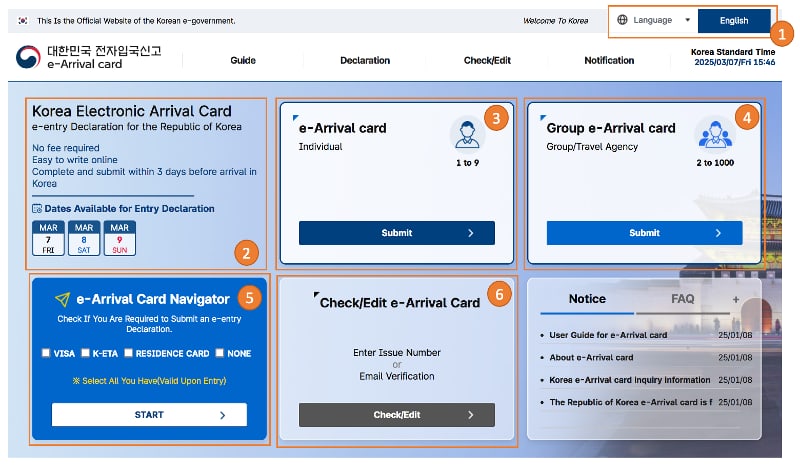
Korea e-Arrival Card vs K-ETA: 22 Countries Are Exempt, and the Paid One Cancels the Free One
Nationals of 22 countries do not need K-ETA through 31 December 2026. But holding a K-ETA exempts you from the e-Arrival Card — so the ₩10,000 optional one cancels the free mandatory one. Which to do, and when.